Pulse Market Wallet Security: Sign-In, Keys and What You Control
Prediction market wallet security on Pulse Market: passwordless sign-in, two-factor protection, key export, account activation and on-chain checks.

On Pulse Market you sign in with a one-time code sent to your email, or with Google, and there is no permanent password. Your signing wallet is managed through Magic: its key material is stored encrypted and the private key can be exported. Trading runs through a separate Polymarket smart-contract wallet on Polygon, where executed trades settle on-chain.
Signing in with email or Google
Pulse does not ask you to keep a permanent password. To sign in by email you enter your address and type the six-digit one-time code sent to it. Signing in with Google works the same way, with Google confirming who you are.
Without a password, the main risk moves to your inbox and to phishing. Anyone who gets into your email, or tricks you into typing a code on a fake sign-in page, can get into the account. That is why the security of the inbox matters as much as any setting inside the terminal.
Two-factor authentication
Two-factor authentication adds a second factor: a code from an authenticator app on your phone. Even if someone reaches your inbox, the emailed code alone is not enough.
When you switch it on, you receive a recovery code. Keep it apart from your phone, because you will need it if the device with the authenticator is lost. For an account that holds money, two-factor authentication is worth switching on right after registration.
Two wallets: one for signing, one for trading
Your account uses two different wallets, and it helps to tell them apart.
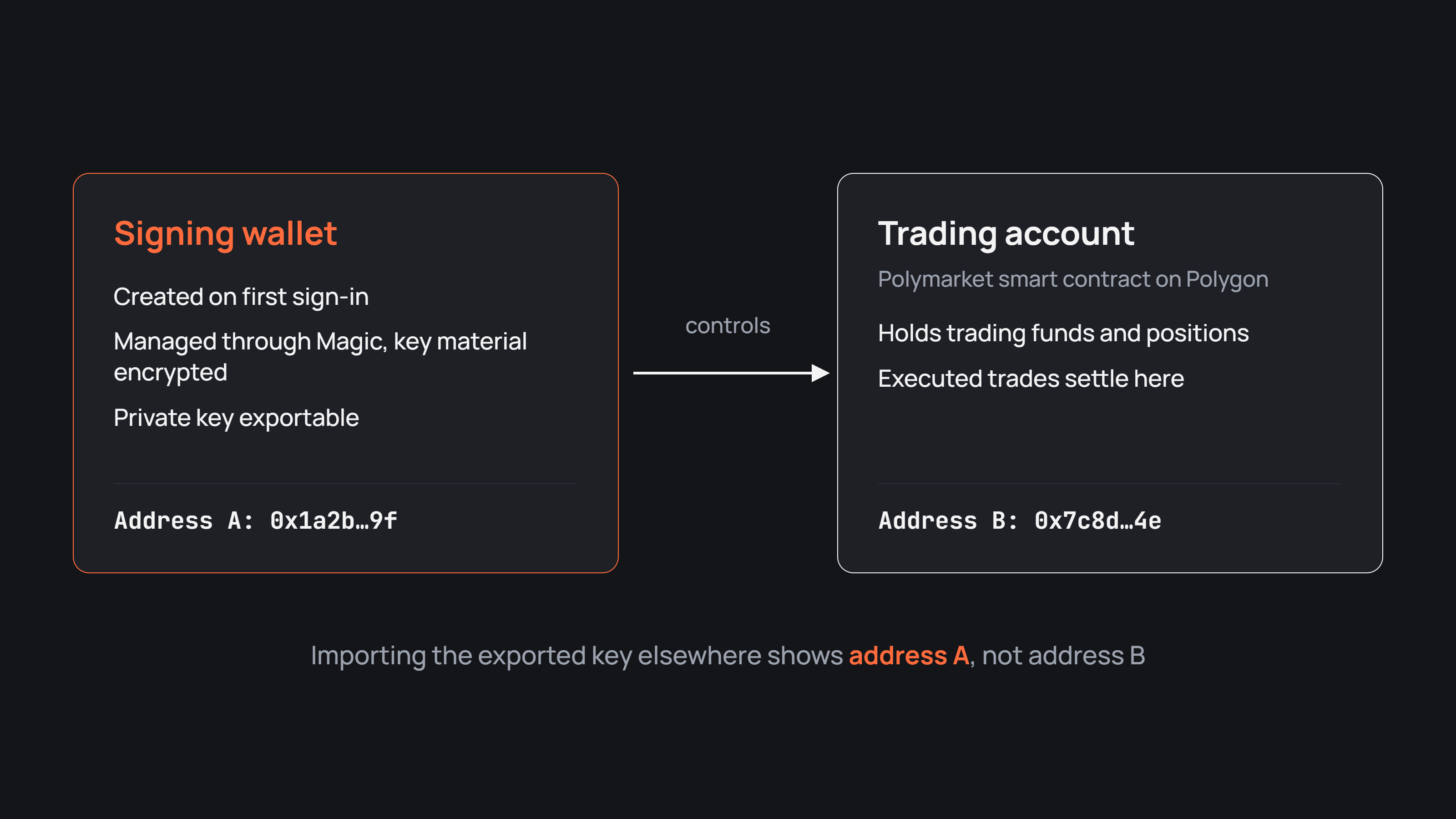
The signing wallet is created on your first sign-in and managed through Magic. Its key material is stored encrypted, and it signs on your behalf when you confirm actions in the terminal. The private key you can export belongs to this wallet.
The trading account is a separate Polymarket smart-contract wallet on Polygon, controlled by your signing wallet. It holds the funds and positions you trade with on Polymarket, and executed trades settle through it. The trading account can have its own address, different from the address of the signing wallet.
Exporting your private key
You can export the private key from the Private Key section of your account. The key is shown only to you, and Pulse does not ask for it.
One detail matters here. The exported key belongs to the signing wallet. If you import it into another wallet app, you will see the signing wallet's address, not the address of your trading account. The trading account is still controlled by that key; it simply lives at a separate address.
An exported key gives full control over signing, so treat it like cash in a sealed envelope.
What happens when you activate the trading account
Before your first trade, Pulse prepares the account to work with Polymarket, and you confirm two signatures.
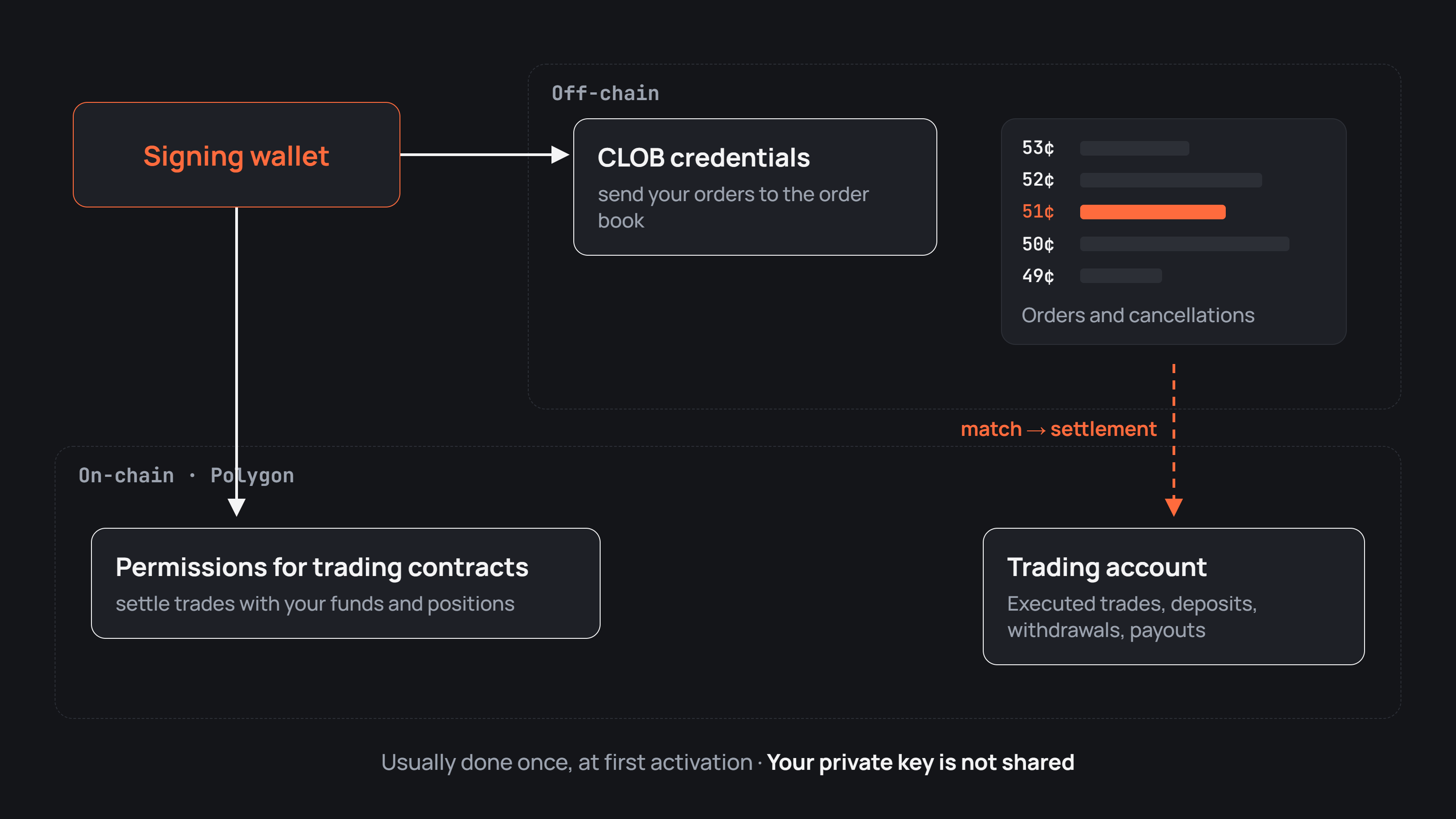
One grants Polymarket's trading contracts the permissions they need to settle trades with your funds and positions. Without them the exchange could not complete a trade, because buying a share means paying from your trading account and receiving the share into it.
The other creates or retrieves your CLOB credentials, the access details for Polymarket's order book. With them the terminal can send the orders you place to the book.
Neither step hands your private key to Pulse. The wallet only confirms the required permissions cryptographically. In the usual case both happen once, at first activation, and are not needed before each trade. After activation the Deposit window opens, and the steps from there are in how to fund a Pulse Market account.
What you can check on Polygon
Polymarket runs a hybrid design. Orders live and are matched in the CLOB order book off-chain, while executed trades and asset movements settle on the Polygon network.
So a Polygon block explorer, searched by your trading account address, shows deposits and withdrawals, token movements, interactions with smart contracts and payouts after a market settles. Open orders and their cancellations belong to the CLOB and do not necessarily exist as separate transactions.
The terminal keeps its own history in the Activity tab of the wallet and in the Results tab with closed positions. One blockchain transaction can bundle several fills or technical transfers, so the terminal and the explorer will not always match line by line. What the explorer gives you is an independent check of the on-chain side of your activity, which you can compare with the history in the terminal. How the terminal fits together as a whole is covered in what Pulse Market is and how it works.
What Pulse never asks you for
Pulse never asks for your private key, whether in the terminal, in support or in a direct message. The same goes for your sign-in codes and your recovery code.
Reach support only through the link in the terminal or on the official Pulse website. If someone messages you first, offers help with a withdrawal, a verification or a bonus, and asks for a code or a key, it is not Pulse. Close the chat.
Four common tricks around prediction markets
Prediction markets draw the same schemes as the rest of crypto, and nearly all of them try to get a code, a key or a signature out of you.
Fake support. Someone answers your public question within minutes, offers to fix a stuck withdrawal and asks for a code or a key. Real support needs neither.
Lookalike sites. A link in a message opens a page that copies the terminal down to the button colours, but the address differs by one letter. Its sign-in form collects your code.
Reward claims. A post announces rewards or an airdrop for traders and asks you to connect a wallet. A malicious site may ask you to sign a transaction or a permission that gives another address or contract access to your assets.
Bots that want your key. A bot offers to trade for you and asks you to paste your private key into a chat. With the key, the bot's owner can sign operations for your wallet just as you can. How legitimate tools differ in who holds the keys is covered in terminals, bots and the exchange interface.
If you lose the device with your authenticator
If the phone is gone but you kept the recovery code, sign in with it and set up the authenticator on a new device.
If both the device and the recovery code are lost, do not try to switch off protection through third-party services. Contact official Pulse support to learn which recovery options are available for your account. Support should never ask for your private key in the process.
Habits that keep the account safe
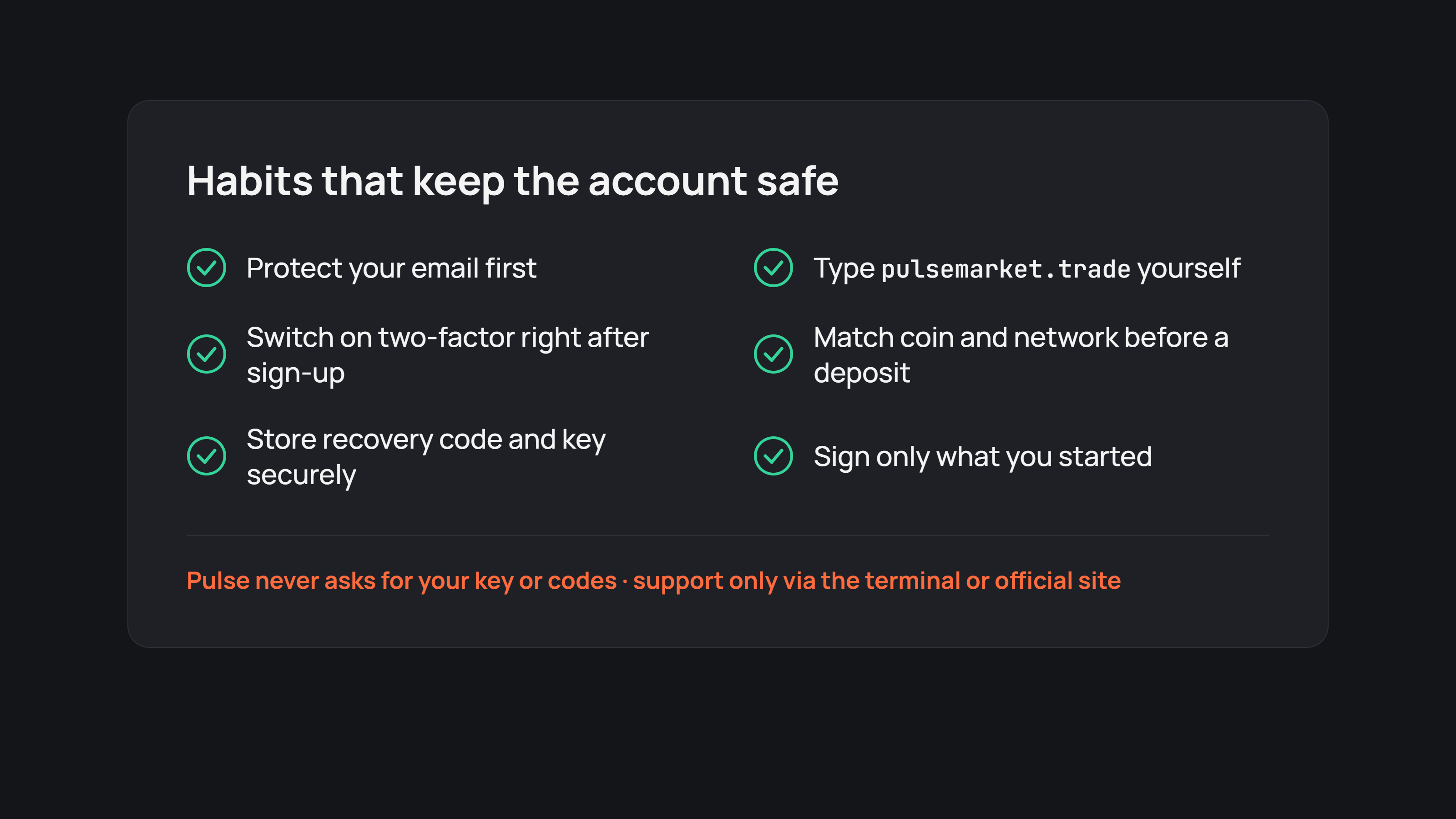
Protect your email first. It receives your sign-in codes, so give it a strong unique password and its own two-factor authentication.
Switch on two-factor authentication in Pulse right after registration.
Store the recovery code and any exported key securely. For example, on paper in a physically safe place or in a trusted encrypted password manager. Avoid plain screenshots and unencrypted notes in the cloud.
Open the terminal yourself. Use a bookmark or type pulsemarket.trade, rather than following links from messages.
Match the coin and network before a deposit. They must be the ones you picked in the Deposit window.
Sign only what you started. A request to sign something on another site in the name of Pulse is a reason to stop.
Your next step
Open the Pulse terminal and switch on two-factor authentication in your account settings if it is not on yet. Store the recovery code somewhere safe. Then find your trading account address and look it up on a Polygon block explorer, so you know where the on-chain records of your trades live.


